How Much Does Cloud PACS for Sharing Medical Images Cost in 2026
Comparing cloud PACS quotes is frustrating when every vendor hides pricing behind a demo request. Storage tiers, per-study fees, and viewer licenses can turn a simple imaging budget into a maze by 2026.
This article breaks down what cloud PACS actually costs, what Medicai's Starter, Standard, and Enterprise plans include, and which hidden fees to watch for with other vendors. By the end, you will know which plan fits your clinic and whether the price is worth it.
What Is Medicai? Cloud PACS Built for Sharing Medical Images
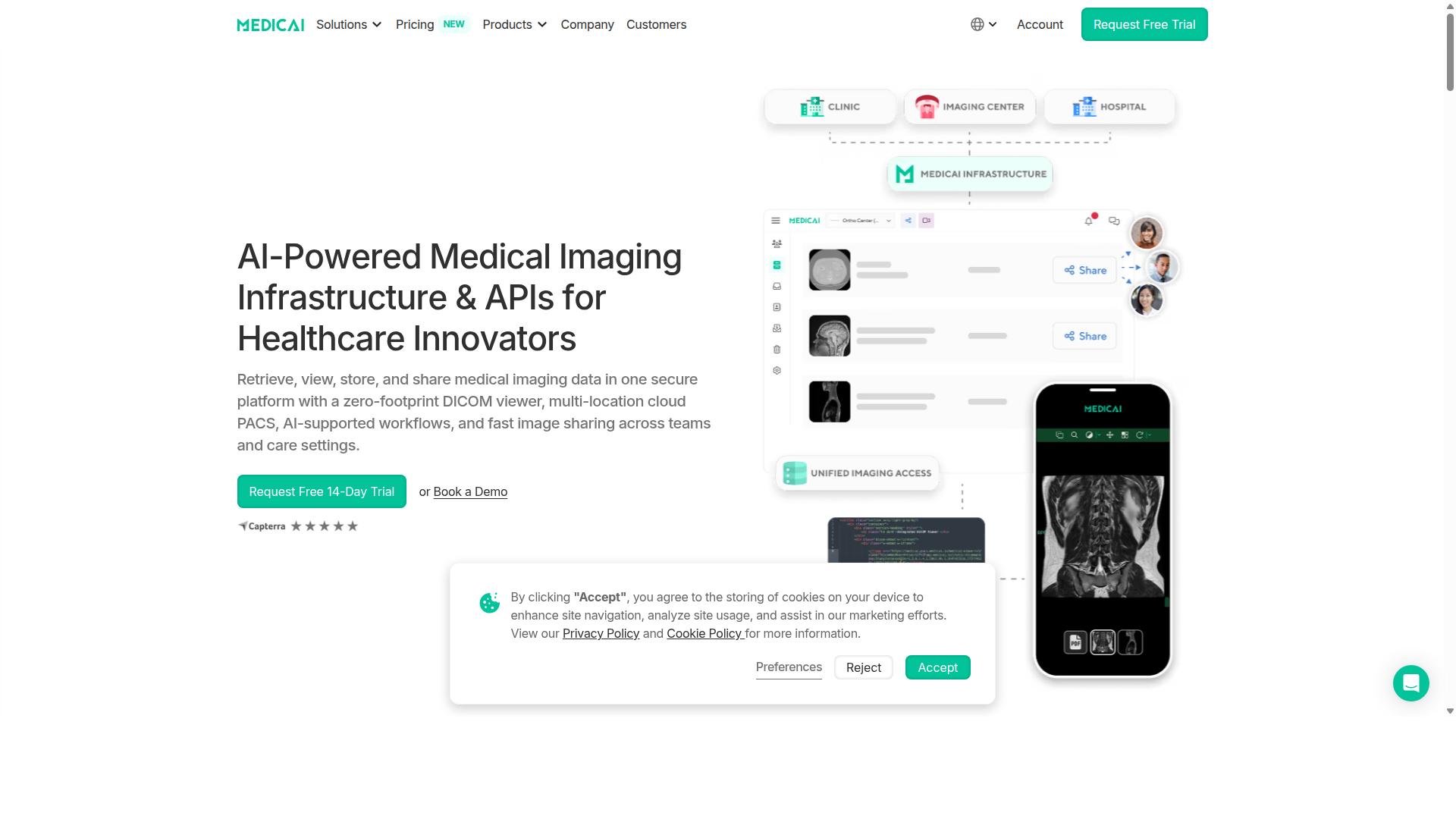
Medicai is a cloud-based medical imaging platform that enables healthcare providers to retrieve, view, store, and share medical imaging data in one secure platform with a zero-footprint DICOM viewer. In practical terms, that means a radiologist, referring physician, or specialist can open a study in a browser without installing any desktop software.
Cloud PACS replaces the traditional picture archiving and communication system that once lived on servers inside a single hospital. Instead of locking images to one facility's hardware, a cloud PACS stores and serves them over the internet, so the same study can be viewed from a different building, city, or country.
That shift matters because medical image sharing has long been one of radiology's weakest links. Images get trapped in siloed systems, and moving them between sites often means burning CDs or waiting on slow transfers. Medicai was built to address exactly that friction.
The platform combines several capabilities in one place:
- A zero-footprint DICOM viewer that runs in the browser
- Multi-location cloud PACS for imaging data across sites
- AI-supported workflows to assist imaging operations
- Fast image sharing across teams and care settings
Medicai also provides Imaging Infrastructure as a Service (IIaaS) and is a VC-backed healthcare startup focused on modernizing medical imaging workflows and enabling interoperability. Because the platform is accessible online worldwide, it supports teleradiology, where reads happen remotely rather than at the scanner's location.
This foundation sets up the central question of this article: what does a cloud PACS like Medicai actually cost in 2026, and which pricing factors drive that number. Understanding the platform first makes those costs easier to evaluate.
How Much Does Cloud PACS Cost in 2026? The Direct Answer
Cloud PACS pricing in 2026 typically ranges from a few hundred to several thousand dollars per month, depending on storage, features, and number of locations. Small clinics with modest image volumes often land at the low end, while multi-site hospital networks with advanced enterprise imaging needs push well into the thousands.
That wide spread exists because vendors bundle very different things. Some charge by storage volume alone. Others layer on per-user fees, per-study fees, or separate charges for connected locations. The result is that two quotes for what sounds like the same service can differ by thousands of dollars a year.
What makes budgeting difficult is that many vendors hide their actual costs behind "contact us" forms and custom quotes. Buyers end up comparing incomplete numbers, and surprise fees often surface only after a contract is signed.
Medicai takes the opposite approach. It publishes clear pricing tiers with transparent monthly billing: Starter at $249 per month, Standard at $749 per month, and Enterprise with custom pricing for larger organizations. Yearly billing is also available at a 15% savings, bringing Starter to $209 per month and Standard to $639 per month when paid yearly.
That transparency matters for planning. A radiology practice or teleradiology group can see the entry price, understand what each tier includes, and forecast spend without a sales call. The sections below break down exactly what drives cloud PACS costs and what each Medicai plan covers.
What Drives Cloud PACS Pricing in 2026
The primary cost drivers for cloud PACS in 2026 are storage volume, number of connected locations, user licensing models, and data egress fees. Each one can shift a quote significantly, and vendors weight them differently.
Storage volume is usually the biggest line item. Most vendors price in tiers or per gigabyte, and diagnostic imaging studies are large, so a busy modality can accumulate terabytes quickly. Image compression and retention policies affect how fast that storage grows.
Connected locations matter because each site adds network configuration, DICOM gateway setup, and ongoing data synchronization. A vendor may charge per site, per facility, or per external location that needs image sharing access.
User licensing is where models diverge sharply. Some platforms charge per named user, which penalizes large reading groups and administrative staff. Others offer unlimited accounts, which removes that ceiling entirely.
Data egress fees catch many buyers off guard. Transferring images out of a cloud environment, whether for a second opinion, a patient request, or a PACS migration, can trigger per-gigabyte charges that are not obvious upfront.
Watch for pay-per-study and per-user pricing in particular. These models look cheap at low volume but escalate fast as a practice grows. A clinic with 2 TB of storage across 5 locations could easily see monthly costs climb into the high hundreds or low thousands under these structures, before any egress or support fees are added.
Other factors influence total cost of ownership too: uptime SLA commitments, disaster recovery and data redundancy, encryption at rest and in transit, HIPAA compliance and GDPR readiness, and interoperability features like FHIR, HL7, and vendor-neutral archive support. These rarely appear as separate line items, but they shape what a vendor charges and what you actually get.
Medicai's Transparent Monthly Pricing: Starter, Standard, and Enterprise
Medicai offers three straightforward monthly plans: Starter at $249/month with 500 GB storage, Standard at $749/month with 2 TB storage and one connected location, and Enterprise with custom pricing. Each tier is built around a different stage of growth, so practices can start small and scale without renegotiating from scratch.
The Starter plan includes 500 GB of cloud storage, unlimited user accounts, and no connected locations. It suits a single-site clinic or a small diagnostic imaging practice that needs reliable medical image sharing without multi-facility complexity.
The Standard plan includes 2 TB of cloud storage, unlimited user accounts, and one connected location. That connected location makes it a fit for practices linking a main site to a partner facility, or for teleradiology workflows that need images flowing between two points.
Enterprise is tailored for larger organizations with multiple connected locations and multiple external locations. Storage is customized to volume, and per-study pricing is available for enterprise customers.
One detail stands out across every tier: all plans include unlimited user accounts. That is rare in this market, where per-user licensing is common. It means adding radiologists, referring physicians, or support staff does not raise the bill.
Billing is monthly with no long-term contracts. Yearly billing saves 15%, bringing Starter to $209/month and Standard to $639/month. A DICOM Gateway Setup is available at $1,000 one-time per location, and a free 14-day trial of Starter plan features is included with no credit card required. Refunds are not available for partial periods.
What's Included at Each Price Point
Beyond the headline price, it's crucial to understand what features and limits come with each tier to avoid surprises. A cloud PACS plan that looks affordable upfront can become expensive once you add user seats, extra storage, or features that were never part of the base package.
Most vendors structure subscription models around three variables: how much you store, how many locations connect, and how many people log in. Some also charge separately for viewing tools, disaster recovery, or integration access. Those add-ons can quietly double the real monthly cost.
Medicai takes a different approach. Its plans bundle the essentials that other providers often meter out, and unlimited user accounts are included even on the Starter plan. That matters for any clinic, hospital, or teleradiology group where many people need to view or share DICOM studies.
The two subsections below break down exactly what sits inside each price point, from storage and connected locations to the features that usually carry an extra fee elsewhere.
Storage, Connected Locations, and Unlimited User Accounts
Storage, connected locations, and user accounts are the three pillars that define a cloud PACS plan's capacity and cost. Understanding each one helps you compare quotes on equal footing.
Storage is usually sold in tiers. Common entry points are around 500GB, with mid-tier plans landing near 1TB or 2TB. Healthcare cloud storage needs grow steadily, since every new study adds to the archive, so it pays to know how a vendor handles overages.
Connected locations are typically counted per facility. A practice with a main clinic plus two satellite sites may be billed for three connections, even if all three share one archive. Medicai's Cloud PACS and storage options are built to handle multi-site imaging without treating each location as a separate billing event.
User licensing is where costs diverge most. Many vendors charge per seat, so a 10-user clinic could face a rising bill every time it adds a radiologist, technician, or referring physician. Medicai includes unlimited user accounts on all plans, so a 10-user clinic with 1TB of storage gets full team access on the Starter plan for $249, without per-seat charges stacking up.
That single difference reshapes the math. Instead of forecasting headcount growth against licensing fees, you can add radiology imaging staff, specialists, and external collaborators as needed.
Features That Typically Cost Extra Elsewhere - Included With Medicai
Many cloud PACS vendors charge extra for features like DICOM viewers, disaster recovery, or API access, but Medicai includes them in the base price. That changes the real total cost of ownership far more than a small difference in the monthly rate.
Across the market, these capabilities are frequently sold as add-ons:
- A zero-footprint DICOM viewer for browser-based access
- A vendor-neutral archive (VNA) for long-term, format-agnostic storage
- Backup and disaster recovery with data redundancy
- API access for connecting outside systems
Medicai bundles all of these. Its DICOM Viewer supports access and visualization, while the Vendor Neutral Archive and Backup and Disaster Recovery cover storage and resilience. The Medicai Imaging API handles integration, and the platform processes more than 50M+ yearly API transactions, a sign of how heavily it is used in production.
The track record backs this up. Medicai has transacted or processed 1M+ studies per year, holds 1.7M+ studies in storage, and has recorded 300k+ visualizations of DICOM studies in the last year. It is HIPAA and GDPR compliant, follows OWASP security guidelines, and offers FDA/CEE Cleared Viewers.
For buyers comparing 2026 pricing, the practical takeaway is simple. A lower sticker price means little if viewers, disaster recovery, and API access are billed separately. Medicai folds those into the plan, so the price you see covers the capabilities you actually need.
Hidden Costs to Watch For With Cloud PACS Vendors
Hidden costs in cloud PACS contracts can significantly inflate your total spend, so it's essential to identify them upfront. The headline subscription price rarely tells the full story in medical image sharing. Radiology imaging generates large volumes of data, and every transfer, view, and API call can carry a separate charge under some vendors' terms.
Before signing any agreement, ask for a written breakdown of every billable event, not just the base plan. The line items below are the ones that most often surprise healthcare organizations after go-live.
- Data egress fees: charges for moving images out of the vendor's cloud. Sharing studies with referring physicians or patients can trigger these repeatedly.
- Storage overage fees: a per-GB rate applied once you exceed your plan's storage tier. Diagnostic imaging archives grow steadily, so overages compound month after month.
- Per-user licensing: a base number of accounts is included, and every additional radiologist, technologist, or referring clinician costs extra. Teleradiology teams with rotating staff feel this most.
- API call charges: fees each time your EHR, FHIR, or HL7 interfaces query the archive. Interoperability sounds included until the invoice arrives.
- DICOM viewer access fees: some vendors charge per seat or per session for viewing tools, which limits how freely images can be shared.
These items add up quickly. A practice storing several terabytes beyond its plan, exporting studies to outside providers, and adding users across multiple sites can see its effective monthly cost climb well past the quoted rate. That gap between advertised price and total cost of ownership is where budgeting goes wrong.
Medicai takes a different approach with all-inclusive pricing. The Starter plan is $249/month for 500 GB of cloud storage and unlimited user accounts. The Standard plan is $749/month for 2 TB and one connected location. Yearly billing saves 15%, bringing Starter to $209/month and Standard to $639/month. There are no egress fees and no per-user licensing, so adding team members or sharing images externally does not change the bill. Enterprise customers with multiple locations receive custom pricing, and per-study pricing is available for those needs.
The one-time DICOM Gateway Setup fee of $1,000 per location is stated clearly rather than buried in fine print. A free 14-day trial of Starter plan features is available with no credit card required, letting teams evaluate the platform before committing. For buyers comparing cloud PACS options in 2026, Medicai's transparent pricing removes the guesswork that makes hidden fees so damaging to healthcare cloud storage budgets.
Why Medicai's Pricing Delivers Value for Image Sharing
Medicai's pricing is designed to provide exceptional value for image sharing by combining transparent costs with high-performance features. Instead of charging separately for every capability a radiology team needs, Medicai bundles its core image sharing tools into a single subscription model.
That structure matters in 2026, when many cloud PACS contracts still hide costs in data egress fees, per-user licensing, and storage tier upgrades. Medicai takes a different approach. Unlimited user accounts mean a growing clinical team does not trigger a growing bill, and the absence of egress fees means sharing studies outside the organization does not add surprise charges.
These two choices directly reduce total cost of ownership. A hospital or imaging center can add referring physicians, specialists, or partner facilities without renegotiating its contract, and it can exchange studies freely without watching a bandwidth meter.
The value drivers below explain what is included at the base price, how the zero-footprint viewer and multi-location cloud PACS work together, and why Medicai's track record supports the cost.
Zero-Footprint DICOM Viewer and Multi-Location Cloud PACS
Medicai's zero-footprint DICOM viewer allows instant access to images from any browser, eliminating the need for local installations and enabling seamless multi-location collaboration. There is no workstation software to deploy, no version to patch, and no dedicated hardware to maintain at each site.
For radiology imaging teams, that changes the economics of access. A radiologist on call can open studies from a laptop, tablet, or desktop without a local install, which supports teleradiology and cross-site reading. A referring physician at a satellite clinic sees the same images without a separate viewer license.
Multi-location cloud PACS extends this further. Facilities can share studies across sites through the cloud rather than duplicating storage or buying additional on-premise servers. Medicai's Store and Manage suite covers Cloud PACS, Medical Image Exchange, Vendor Neutral Archive, and Backup and Disaster Recovery, so image sharing and long-term retention sit in one environment.
Critically, these capabilities are included in the base price rather than sold as add-ons. Some competitors charge separately for viewer access, external sharing, or archive storage. Medicai folds the DICOM Viewer and multi-location support into the subscription, which keeps the effective cost per study predictable as volume grows.
Track Record: 1M+ Studies Processed, 70+ Clinics, HIPAA and GDPR Compliance
Medicai has processed over 1 million studies and serves more than 70 clinics, demonstrating its reliability and compliance with HIPAA and GDPR. That scale is not marketing language. It reflects a platform already handling real clinical volume across many organizations.
The verified numbers tell a consistent story of adoption and use:
- 1M+ studies transacted or processed per year
- 1.7M+ studies in storage
- 300k+ visualizations of DICOM studies in the last year
- 50M+ yearly API transactions
- 70 clinics and hospitals on the platform, with 10,000+ active doctors
- 2M+ imaging studies uploaded
Compliance and clearance back up the volume. Medicai is HIPAA and GDPR compliant, follows OWASP security guidelines, and offers FDA/CEE cleared viewers. The platform also runs on a Microsoft Azure partnership, which supports the cloud hosting and data redundancy expectations buyers now apply to healthcare cloud storage.
For a buyer weighing 2026 pricing, this track record translates into three kinds of value: reliability at scale, capacity to grow without migration, and regulatory peace of mind. Medicai has also been featured in press for enabling global multidisciplinary tumor boards and helping Ukrainian refugee patients access cancer treatments, evidence that the platform performs in demanding, cross-border clinical settings.
Who Should Use Medicai - and Which Plan Fits
Medicai is ideal for healthcare providers of all sizes, from small clinics to large hospital networks, that need to share medical images securely and efficiently. The platform is built around cloud PACS and medical image sharing, so the question is less about whether a provider fits and more about which subscription tier matches its storage and location footprint.
Because the pricing model is tied to healthcare cloud storage rather than per-seat licensing alone, the plan you choose should reflect how much imaging data you generate and how many sites need access to it. Below is a practical breakdown of who benefits most and which tier lines up with each profile.
Hospitals and health systems sit at the top of the complexity scale. They generate high volumes of DICOM studies across multiple departments and often need a vendor-neutral archive that can consolidate imaging from several locations. Multi-site organizations like these are the natural fit for the Enterprise tier.
Imaging centers and teleradiology services live and breathe diagnostic imaging. They need fast access to studies, reliable uptime, and the ability to route images to remote readers. A single-location imaging center with moderate volume maps well to the Standard tier.
Specialty care providers are a broad and important group. Medicai serves orthopedics, neurology, oncology, radiology, cardiology, ophthalmology, ob-gyn, pulmonology, dentistry, and gastroenterology practices, all of which rely on imaging to guide treatment decisions.
Virtual care and telemedicine platforms also benefit, since they need to move images between distributed clinicians and patients without physical media. The same applies to tumor boards and clinical trials, where multiple specialists must review the same studies.
Personal injury lawyers and medical education organizations round out the audience. Legal teams need defensible access to imaging records, while teaching institutions need a way to organize and share cases for instruction. Patients themselves are served through the Patient Portal, which extends image sharing beyond the clinical team.
Matching a provider to a plan comes down to two variables: storage volume and number of connected locations. The table below summarizes the fit.
| Plan | Best For | Storage | Connected Locations |
|---|---|---|---|
| Starter | Small clinics | Up to 500GB | None |
| Standard | Single-site practices | Up to 2TB | One location |
| Enterprise | Multi-location organizations | Scalable | Multiple locations |
The Starter plan suits small clinics that need cloud storage and image sharing but operate from a single site with no connected locations. With up to 500GB of storage, it covers practices with modest imaging volume, such as a dental office or a small specialty clinic.
The Standard plan fits practices that have outgrown a basic footprint. It supports up to 2TB of storage and one connected location, making it a strong match for a busy imaging center or a single-site orthopedic or cardiology practice.
The Enterprise plan is designed for multi-location organizations. Hospitals, health systems, and networks that need to share studies across several sites should look here, since the tier is built to handle the scale and coordination that distributed imaging demands.
In short, Medicai serves a wide spectrum of healthcare providers, and the right plan follows directly from storage needs and location count. Small clinics start with Starter, single-site practices step up to Standard, and multi-location organizations belong on Enterprise.
Final Verdict: Is Medicai Worth the Cost in 2026?
Considering its transparent pricing, included features, and proven track record, Medicai offers strong value for money in 2026. For healthcare providers weighing cloud PACS options, the decision often comes down to predictability. Medicai answers that concern directly with a flat monthly subscription starting at $249 and no hidden fees layered on top.
That structure matters in a market where many platforms advertise a low entry price, then add charges for storage overages, data egress, or extra viewer seats. Medicai avoids that pattern. The price you see is the price you plan around, which makes budgeting for healthcare cloud storage far simpler than a usage-based model.
Several elements combine to make the cost defensible for most practices:
- Transparent monthly pricing starting at $249, with no surprise line items
- Unlimited user accounts, so adding radiologists or referring physicians does not raise the bill
- No hidden fees for the features included in the plan
- A zero-footprint DICOM viewer that runs without local installs or workstation maintenance
- Compliance alignment for handling medical image sharing
The unlimited user model deserves emphasis. Per-user licensing is one of the quiet cost drivers in radiology imaging software, because every new reader, specialist, or partner adds a seat. With Medicai, growth in your user base does not translate into growth in your invoice. For teleradiology groups and multi-site practices, that single design choice can reshape the total cost of ownership.
The zero-footprint DICOM viewer carries its own financial logic. No software to deploy on each machine means less IT overhead, fewer support tickets, and faster onboarding for new staff. Those savings rarely appear on a pricing page, but they show up in your operating budget all the same.
Compared with on-premise alternatives, the case is straightforward. On-premise PACS brings servers, storage expansion, backup infrastructure, and staff time to maintain it all. A SaaS model folds those costs into one predictable fee. For most providers, the subscription is the lower-risk path.
Compliance is another factor that supports the value argument. Cloud PACS for medical image sharing must satisfy strict requirements around protected health information. Medicai is built for that environment, which means providers are not absorbing the cost and risk of retrofitting a generic storage tool to meet healthcare standards.
So is Medicai worth the cost in 2026? For most healthcare providers, yes. The combination of a clear monthly price, unlimited users, no hidden fees, a zero-footprint viewer, and compliance-ready image sharing delivers a cost profile that is easy to justify internally and easy to forecast across a fiscal year. Practices that value predictability over variable billing will find the model fits naturally.
Providers who want to confirm fit for their specific workflow, study volume, or integration needs can reach the team directly. Medicai's sales team can be contacted at [email protected] or by phone at +1 (832) 220 1035.
Medicai USA
7901 4th St N, STE 300
St. Petersburg, FL, 33702
Phone: +1 (832) 220 1035
Medicai Romania
53-55 N Filipescu, 5th Floor
Sector 2, Bucharest, 020961
Phone: +40 316 305 875
Frequently Asked Questions
How much does cloud PACS cost in 2026?
Cloud PACS pricing in 2026 typically depends on storage volume, the number of connected locations, and the features you need, so costs vary widely between providers. Medicai publishes transparent monthly plans: Starter at $249/month with 500 GB of cloud storage and no connected locations, Standard at $749/month with 2 TB of storage and one connected location, and custom Enterprise pricing. This makes it easy to estimate your baseline before adding advanced capabilities.
What determines the price of a cloud PACS for sharing medical images?
The main cost drivers are how much imaging data you store, how many locations or sites you connect, and which workflows you need, such as image exchange, case management, or disaster recovery. User accounts are often a hidden cost factor elsewhere, but Medicai includes unlimited user accounts across its plans. Because every organization's mix of these factors differs, the most accurate quote usually comes from mapping your storage and connectivity needs first.
Does Medicai charge per user?
No. Medicai's Starter and Standard plans both include unlimited user accounts, so adding radiologists, referring physicians, or staff doesn't increase your subscription cost. Pricing is instead based on cloud storage and connected locations. This structure is helpful for healthcare providers who need to give broad access to imaging data without per-seat fees.
What's included in Medicai's cloud PACS plans?
Medicai is a cloud-based medical imaging platform for retrieving, viewing, storing, and sharing imaging data in one secure platform, with a zero-footprint DICOM viewer and multi-location cloud. Its capabilities span Connect & Retrieve (Medical Imaging Uploader, DICOM Gateway), Store & Manage (Cloud PACS, Medical Image Exchange, Patient Case Management, Vendor Neutral Archive, Backup and Disaster Recovery), and Access, Visualize, Collaborate. The Starter plan includes 500 GB of cloud storage, while Standard includes 2 TB and one connected location.
Is there a free trial or a way to test a cloud PACS before committing?
Pricing and trial details can change, so the best approach is to contact Medicai directly to discuss your needs and any evaluation options. You can reach the team at [email protected] or by phone at +1 (832) 220 1035 (USA) or +40 316 305 875 (Romania). Medicai is available worldwide online, so providers in most regions can get started without local infrastructure.
Are there cheaper alternatives to cloud PACS, and what should I watch for?
Some providers offer lower headline prices, but it's important to compare what's actually included, such as storage limits, per-user fees, connected-location charges, and whether viewer, exchange, and backup features cost extra. Medicai bundles storage, unlimited users, and a zero-footprint DICOM viewer, and is HIPAA and GDPR compliant with FDA/CEE cleared viewers available. Rather than choosing on price alone, weigh total cost against the clinical workflows and compliance you need.
Recommended Resources: